
Feature
A Real-Time Stripe Sales Dashboard for Any Screen
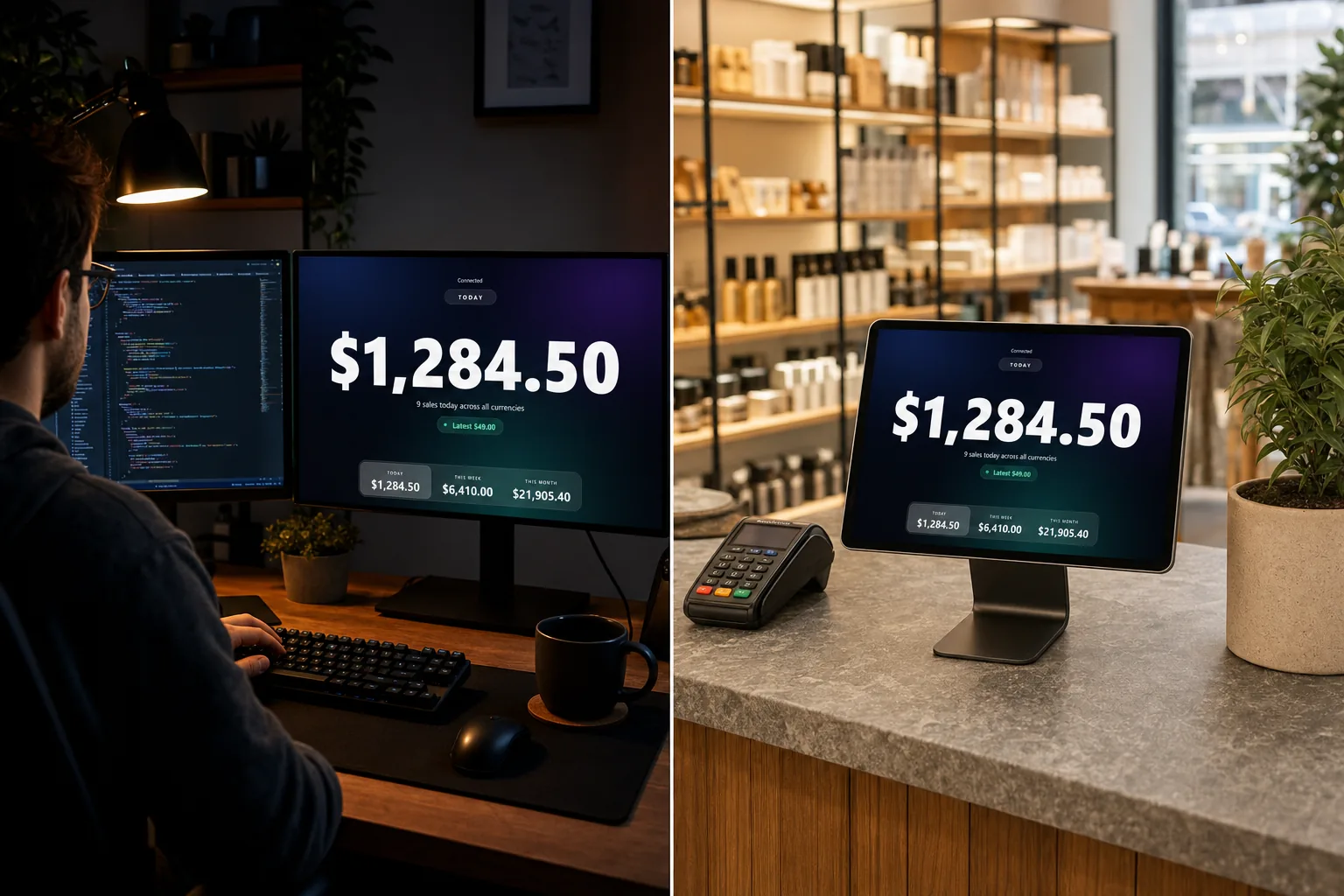
Display mode turns any spare screen into a real-time Stripe sales dashboard: today, this week, this month and a live revenue counter, in figures you can read from the other side of the room.
4
Metrics
6
Themes
Any
Browser screen
Included
In the $4.49 plan
A Stripe live payment display, not another dashboard to read
A normal dashboard is designed for one person, sitting close, actively looking. A wall screen has the opposite job. It has to be legible at four metres, to a person who is walking past and glancing, in a room that might be bright.
Display mode shows one number at a time, as large as the screen allows, and updates it the moment a Stripe payment lands. Everything else, the sale count, the latest payments and the goal progress, sits underneath in a size that rewards a closer look without competing with the headline figure.
What is on the screen
- Today, this week, this month, or progress against your monthly goal. Pick the one that matters to the room.
- A live sale count, so a big total and a busy day are not confused with each other.
- The latest payments as they arrive, with an animation on each new one.
- The same payment sound as the dashboard, at a volume you set for the room.
- Per-currency totals, so a business selling in dollars and euros is not shown a meaningless sum.
Where a real-time Stripe sales dashboard earns its screen
The same view does three quite different jobs depending on where you hang it.
Compared with the screens people usually try first
Swipe the table sideways to see every column.
| What you get | ChaChing Alerts | Stripe dashboard on a TV | Generic dashboard tool | Spreadsheet on a wall |
|---|---|---|---|---|
| Readable across a room | Yes | No | Depends | No |
| Updates without a refresh | Yes | No | Usually | No |
| Plays a payment sound | Yes | No | No | No |
| Safe to face customers | Yes | No | Depends on the query | Depends |
| Needs a Stripe API key | No | Not applicable | Usually | Usually |
| Setup | Open a URL | A login on the TV | Build the dashboard | Maintain it forever |
ChaChing Alerts is not affiliated with Stripe.
Included, along with everything else
Display mode is part of the $4.49/month plan, with the monthly goal bar and Slack and Discord alerts. If you have not connected a Stripe account yet, the two minute setup guide is the place to start.
Frequently asked questions
- What does the real-time Stripe sales dashboard show?
- One big number at a time, chosen from today, this week, this month or progress towards your monthly goal, with the latest payments underneath and a live count of sales. Amounts only, no customer details, sized to be read from across a room.
- Which screens does display mode work on?
- Anything that runs a modern browser: a shop TV driven by a mini PC, an iPad on the counter, an old laptop under the till, or a second monitor next to your editor. There is nothing to install, so a screen can be repurposed in a minute.
- Can I match it to the room?
- There are six themes, from Midnight and Carbon for a dark wall to Paper for a bright shop, plus a full-screen toggle and your own background image if you want it to look like part of the fit-out rather than like a dashboard.
- Does it play the sound too, or just show numbers?
- Both. The display plays the same payment sound as the dashboard, with the same one-click audio unlock browsers require, so a screen on the wall can be the thing the whole room hears.
- Will moving between the dashboard and the display ring twice?
- No. Payments already announced are remembered per browser, so navigating from the dashboard into the display and back does not replay sounds you have already heard.
Keep reading
Give the room a number to watch.
$4.49/month, unlimited payments, up to 10 Stripe accounts, every sound and every feature on this page.
No card required. Your free trial ends 48 hours after your first live payment arrives, or 30 days after signup, whichever comes first. Then subscribe for $4.49/month to continue, or pay once for lifetime access. No automatic charge.